
Kingwin 80mm Silent Fan
4.5Editor score
Low noise for office desktops
Compatible with 80mm mounts
Long life bearing design
This guide compares the top exhaust fans for PC cooling, evaluating airflow, noise levels, bearing types, and compatibility to help you choose the best option
Keeping your computer running cool is essential for performance and longevity. An effective exhaust fan helps remove hot air from your case, preventing thermal throttling and hardware damage during intensive tasks like gaming or rendering.
We analyzed ten highly rated PC exhaust fans based on airflow capacity, noise output, bearing technology, and build quality. Our selection includes options for standard cases, mining rigs, and specialized setups requiring high static pressure or silent operation.
Each pick below highlights key specs and real-world use cases to guide your decision. Note that product availability and pricing fluctuate frequently, so check current listings before purchasing to ensure you get the best deal available today.
4.5Editor score

4.8Editor score

4.7Editor score
The following table provides a side-by-side comparison of all ten selected fans, highlighting their size, speed, noise levels, and key features to help you quickly identify the right match for your specific cooling needs.




The Noctua NF-P12 redux-1700 PWM stands out as the top choice for users prioritizing silence and reliability. With a 4.8 rating, it delivers exceptional cooling while keeping noise levels near the threshold of human perception.
We may earn a commission when you buy through this link, at no additional cost to you.
Its pressure-optimised blade design ensures strong airflow even through restricted spaces like radiators or dense heatsinks. The redux edition maintains Noctua's high standards while offering a more accessible price for enthusiasts who need proven performance.
While the cost is higher than budget models, the 150000-hour MTTF rating justifies the investment. You avoid frequent replacements and maintain consistent cooling efficiency over many years of usage.
Buy this if you need a dependable fan for a quiet workstation or high-end gaming rig where thermal management is critical. It is the best overall option for those who value longevity and acoustic comfort.
Noctua's expertise in noise reduction is evident in this fan. The streamlined redux edition supports automatic motherboard speed control, meaning it runs virtually silent at idle and ramps up only when cooling is needed.
With a mean time between failure rating exceeding 150000 hours, this fan is built to last. It is an ideal solution for systems that run continuously, such as home servers or mining setups.
We may earn a commission when you buy through this link, at no additional cost to you.
The Kingwin 80mm Silent Fan is the perfect budget option for compact systems or older cases requiring smaller fans. Rated 4.5, it offers reliable cooling without breaking the bank.
We may earn a commission when you buy through this link, at no additional cost to you.
Its optimized blade design delivers decent airflow for its size while maintaining low noise levels. This makes it suitable for office desktops where background hum can be distracting during calls.
The main limitation is its 80mm size, which may not fit modern standard cases that prefer 120mm or 140mm options. However, for specific replacements or mining rigs with restricted space, it is a solid choice.
Choose this if you need a simple, cheap replacement for an old fan or are building a budget office PC. It provides essential ventilation without unnecessary features you do not need.
Many older cases and specialized appliances use 80mm mounts. This fan fits standard 80mm slots perfectly, making it an excellent upgrade path for legacy hardware that still performs well.
At this price, you can outfit an entire rig with multiple fans for minimal cost. It is a smart way to improve airflow in multi-gpu setups or mining racks without high expenses.
We may earn a commission when you buy through this link, at no additional cost to you.
The Thermalright TL-C12C-S 5 Pack offers premium features at a surprisingly low cost. With a 4.7 rating, it is ideal for builders wanting to fill every fan slot in a mid tower or full tower case.
We may earn a commission when you buy through this link, at no additional cost to you.
Its S-FDB bearings solve common issues with blade shaking, ensuring smooth operation and reduced noise. The ARGB lighting can be synchronized via motherboard headers, giving your build a polished, high-end look.
While not as whisper quiet as Noctua, the noise levels remain acceptable for most gaming setups. The 55cm cable length provides plenty of slack for tidy cable management inside the chassis.
Buy this if you need to outfit a case with multiple fans and want a mix of performance and style. It is the best premium value choice for modern RGB focused systems.
The high brightness LED blades reflect light effectively. You get up to 17 modes of light effects, allowing you to match your case theme or use breathing patterns for a subtle glow.
The 4pin PWM interface lets the motherboard adjust fan speed based on temperature. This ensures you only hear noise when it is actually needed, keeping the system quiet at idle.
We may earn a commission when you buy through this link, at no additional cost to you.
The Easy Cloud AC Plug Fan is unique because it does not rely on your PC's internal power. It connects directly to an AC outlet, making it ideal for custom cases or setups without easy header access.
We may earn a commission when you buy through this link, at no additional cost to you.
A multi-speed controller allows you to adjust RPM freely. This flexibility helps balance cooling and noise, letting you run it fast during heavy loads or quiet during browsing.
The dual ball bearings ensure long life even at high speeds. With over 95 CFM airflow, it moves significant air, though at 2800 RPM it may produce noticeable noise.
Choose this for server cabinets or non-standard builds where standard 4pin headers are missing. It provides powerful ventilation without stressing your motherboard's fan circuitry.
Supporting 110V to 220V means it can be used globally. Just plug it into a nearby wall outlet and start cooling without worrying about internal power limitations.
Since it is not tied to BIOS settings, you control the speed manually. This is useful for legacy systems that lack PWM control or for fans placed outside the main case.
We may earn a commission when you buy through this link, at no additional cost to you.
As the name suggests, be quiet! Pure Wings 3 focuses on silence. With a 4.7 rating, it is an excellent choice for noise sensitive users who still want effective cooling.
We may earn a commission when you buy through this link, at no additional cost to you.
The seven airflow optimized blades reduce turbulence. The frame is designed for peak performance on radiators, making it suitable for all in coolers as well as standard case exhaust.
It can operate at very low minimum RPM, which makes it almost silent when idle. The rifle bearing offers an 80000-hour lifespan, ensuring consistent performance over years.
Buy this if you want a quiet, reliable fan without flash. It is perfect for home theater PCs or office environments where noise reduction is a top priority.
The frame outlet is designed to direct air efficiently through dense fins. If you use liquid cooling, this fan can push air through the radiator better than generic alternatives.
The fan starts and runs smoothly at low speeds. This minimizes vibration noise and ensures that even during light tasks, you will barely hear it operating.
We may earn a commission when you buy through this link, at no additional cost to you.
The DARKROCK 3-Pack provides a simple way to upgrade case airflow on a budget. With a 4.6 rating, it is a solid choice for standard towers needing more intake or exhaust options.
We may earn a commission when you buy through this link, at no additional cost to you.
Each fan features four soft silicone cushions to absorb vibration. This reduces rattling even at maximum speed, keeping noise levels low at just over 32 dBA.
The hydraulic bearing design ensures stable rotation. With 30000 hours average life, these fans are durable enough for daily gaming or workstation use without frequent swaps.
Choose this if you need to replace old fans or add extra intake. It is a cost effective set that fits standard cases without requiring complex configurations.
The silicone cushions act as shock absorbers. This prevents vibration from transferring to the case chassis, which can cause annoying rattles at high fan speeds.
Hydraulic bearings use fluid to reduce friction. This helps the fan run smoother and quieter while extending the service life compared to standard sleeve bearings.
We may earn a commission when you buy through this link, at no additional cost to you.
The X1 USB Cooling Fan is designed for external devices or mini PCs. With a 4.4 rating, it is great for routers, game consoles, or systems that lack space for traditional case fans.
We may earn a commission when you buy through this link, at no additional cost to you.
It operates at just 18 dB, quieter than most library sounds. The 9 blade design delivers 55.8 CFM, enough to drop device temperatures by 20% in seconds.
The integrated 530mm cable allows flexible placement. You can plug it into a power bank, laptop, or charger, eliminating the need for extra power adapters.
Buy this for mini PCs, consoles, or media boxes. It is the best portable solution for cooling electronics that sit outside a standard computer case.
At 18 dB, this fan is nearly silent. This makes it ideal for living room setups where you want cooling without interrupting movies or games.
Since it does not mount inside a case, you can place it anywhere. Use it on top of a console, behind a router, or in any tight space needing airflow.
We may earn a commission when you buy through this link, at no additional cost to you.
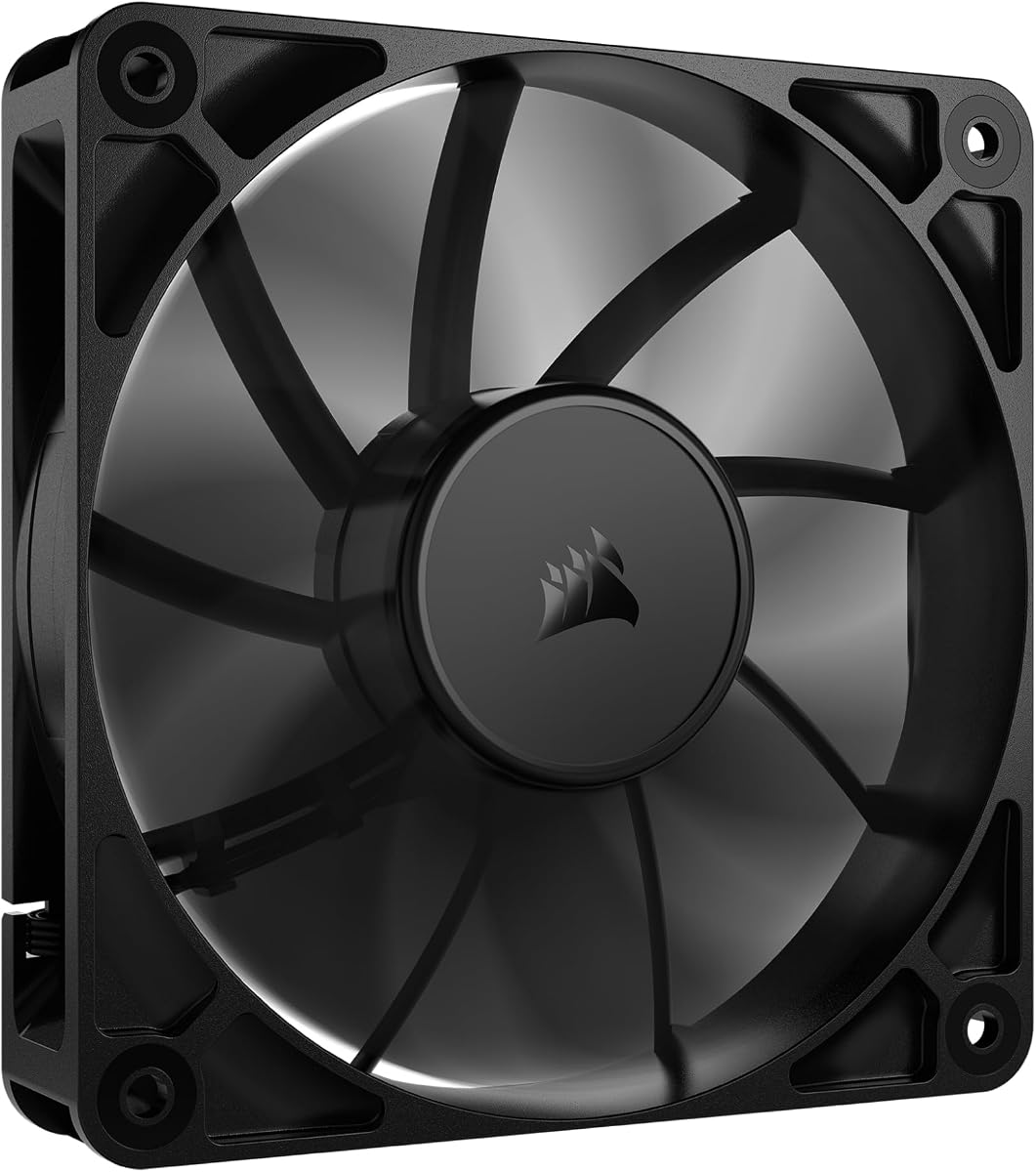
The CORSAIR RS120 simplifies wiring by allowing daisy-chain connections. With a 4.6 rating, it is perfect for users wanting to connect multiple fans with just one PWM cable.
We may earn a commission when you buy through this link, at no additional cost to you.
AirGuide technology directs airflow at hot components. This creates concentrated cooling, pushing air efficiently through radiators or heatsinks without losing pressure.
Magnetic Dome bearings reduce friction and noise. The high static pressure ensures fans work well even when airflow is restricted by thick cooling fins.
Buy this if you have many fans to control and want a tidy build. It offers premium features and reliable performance at a moderate price point.
Connecting multiple fans via daisy chain means fewer cables cluttering your case. This simplifies installation and leaves more room for other components.
High static pressure fans are best for radiators. The RS120 can push air through dense coolers effectively, ensuring your liquid or air cooling remains efficient.
We may earn a commission when you buy through this link, at no additional cost to you.
The Wathai 12038 PWM Fan is built for maximum cooling. With a 4.5 rating, it delivers 230 CFM airflow, making it ideal for high heat loads like crypto mining rigs.
We may earn a commission when you buy through this link, at no additional cost to you.
At 5300 RPM, it moves air aggressively. However, this speed results in high noise levels up to 60 dBA, so it is better for cases where noise is not a concern.
The 38mm thickness provides more blade depth for better airflow. Intelligent speed regulation allows BIOS control, so you can balance performance and noise via trigger temperatures.
Choose this for mining farms or server rooms. It is the best high-flow option when cooling capacity matters more than silence.
230 CFM is significantly higher than standard fans. This ensures rapid heat removal, critical for hardware generating extreme thermal output in enclosed spaces.
You can set trigger temperatures in BIOS to adjust speed. This helps manage noise levels by only running at top RPM when absolutely necessary.
We may earn a commission when you buy through this link, at no additional cost to you.
The Thermalright TL-C12C-S X3 offers a 3 pack of RGB fans at a great price. With a 4.7 rating, it suits gamers wanting visual flair without compromising too much on performance.
We may earn a commission when you buy through this link, at no additional cost to you.
S-FDB bearings ensure smooth rotation. The 1550 RPM speed provides solid airflow, keeping components cool during intense gaming or rendering work.
The lighting reflects softly due to atomizing blades. You get 17 light modes synchronized via motherboard ports, creating a unified look across your build.
Buy this if you want a balanced RGB set for a new case. It is the best value for adding style and cooling to a mid range system.
The high brightness LEDs reflect well on the blades. This creates a soft, even glow rather than harsh dots, which enhances your case aesthetics nicely.
While focused on looks, it still offers strong cooling. The 66.17 CFM airflow ensures your case gets enough ventilation for daily gaming use.
We may earn a commission when you buy through this link, at no additional cost to you.
Selecting the right exhaust fan depends on your case size, cooling needs, and noise tolerance. Below are key factors to consider before purchasing.
Ensure the fan fits your case mounts. Common sizes are 120mm and 140mm, but some compact cases use 80mm or 92mm. Measure your mounting holes before buying.
Match the fan dimensions to your available space for proper installation.
Airflow (CFM) measures how much air the fan moves. Static pressure matters if the fan pushes air through radiators or restricted areas. Choose higher CFM for general cases and high pressure for coolers.
Prioritize airflow for exhaust and static pressure for intake through heatsinks.
Noise is measured in decibels (dB). For quiet builds, look for fans under 25 dB. High speed fans offer more cooling but produce more noise.
Balance performance with acoustic comfort based on your environment.
Different bearings affect longevity and noise. Hydraulic or rifle bearings are common and durable. Double ball bearings last longer but may be louder. Check MTTF ratings.
Choose bearings that match your usage intensity and budget needs.
PWM fans allow precise speed control via motherboard headers. DC fans vary voltage. PWM offers better efficiency and silence at idle. Most modern fans use PWM.
Confirm your motherboard supports the fan type you select.
If visual style matters, consider ARGB fans. Ensure your case has RGB headers. Non RGB options are cheaper and simpler for functional builds.
Decide if lighting is a priority or if function is more important.
Most fans draw power from the motherboard. High performance fans might need more current. Check the amp rating to avoid overloading your headers.
Check power specs to ensure system compatibility.
Some fans include screws and rubber dampeners. Others require separate purchases. Look for kits that include all necessary parts.
Verify included accessories to avoid extra costs.
Install the fan on the rear of your case, facing outward to push hot air out. Ensure screws are tight and vibration pads are in place to minimize rattling.
Connect the fan to a PWM header on your motherboard. Use fan control software to set temperature curves for automatic speed adjustment.
Clean dust from blades monthly using compressed air. Dust buildup can unbalance blades and increase noise. Regular maintenance extends the fan's life.
Most modern cases use 120mm or 140mm fans. Check your case manual or measure mounting holes. Smaller cases might need 80mm or 92mm options. Always prioritize fit over size for compatibility.
Yes. PWM allows your motherboard to adjust fan speed based on temperature. This keeps the system quiet at idle and ramps up when needed. Most modern fans support PWM for better control.
Ideally under 25 dB for quiet builds. High performance fans may reach 30 to 35 dB. If noise is critical, look for fans with acoustic ratings below 25 dB.
Yes. Rubber mounts reduce vibration noise and prevent rattling. They also protect the fan casing. Many premium fans include these mounts for better acoustic performance.
Physically yes, but design matters. Some fans are optimized for static pressure. Standard case fans work for intake, but check direction arrows for proper airflow placement.
Most quality fans last 30000 to 50000 hours. Higher MTTF ratings mean longer life. Bearings determine this. Hydraulic and ball bearings typically last longer than sleeve types.
Dust buildup, worn bearings, or loose mounts can cause noise. Clean the fan regularly and check screws. If noise persists, the bearing may be worn and require replacement.
Mount the fan on the rear of the case, pointing out. This helps expel hot air efficiently. Ensure the fan rotates correctly when powered to maintain proper airflow.
Whether you need the quiet precision of Noctua or the value of Thermalright, there is an exhaust fan for every build. Our top picks cover performance, noise, and budget needs effectively.
Prioritize airflow and bearing type based on your usage. For silent setups, go with high-end options. For mining or servers, choose high CFM models.
Prices change often, so check current listings. Select a fan that matches your case and motherboard for best results.