
BenQ GW2491
4.8Editor score
100Hz refresh rate
IPS panel accuracy
TUV certified eye care
Finding the perfect frameless computer monitor can transform your workspace into a sleek and efficient environment. Modern displays prioritize minimal bezels to maximize screen real estate and reduce visual distractions during critical tasks.
We evaluated ten leading models based on resolution, refresh rate, color accuracy, and ergonomic features. Each entry balances performance with affordability to suit various budgets and professional needs.
Every recommendation highlights unique strengths and potential trade-offs to help you make an informed decision. Please note that product availability and pricing fluctuate frequently based on market demand.
4.8Editor score

4.6Editor score

4.2Editor score
As an Amazon Associate we earn from qualifying purchases.
This side-by-side comparison highlights key specifications across all ten models to help you quickly identify the display that best fits your specific workflow and visual requirements.


The LG 24U411A-B delivers exceptional visual clarity for daily tasks with its Full HD IPS panel. Rated highly for its vibrant colors and smooth performance, it stands out as a versatile choice for mixed usage.
We may earn a commission when you buy through this link, at no additional cost to you.
Its 120Hz refresh rate ensures fluid motion during gaming and video streaming while the HDR10 support enhances contrast and depth. The ultra-slim bezels create a clean aesthetic that minimizes distractions during focused work sessions.
Although it lacks advanced ergonomic adjustments like height or pivot, the tilt mechanism provides basic comfort options. Users may also miss a built-in USB hub for peripheral connectivity which is common in competing models.
This monitor is ideal for users seeking a balance between visual quality and affordability. If you prioritize smooth performance and rich colors for everyday computing it remains a strong top contender.
The 120Hz refresh rate reduces motion blur ensuring sharp visuals during fast-paced activities.
Reader Mode lowers blue light to protect your eyes during extended reading or document work.
We may earn a commission when you buy through this link, at no additional cost to you.
The BenQ GW2491 offers incredible value with its high refresh rate and certified eye care technologies. It is an excellent entry point for users seeking a reliable frameless display without overspending on features.
We may earn a commission when you buy through this link, at no additional cost to you.
Its IPS panel ensures consistent colors from wide angles while the 100Hz rate provides smooth transitions. The TUV certification guarantees reduced flicker and blue light which is crucial for long workdays.
While it does not match the higher refresh rates of gaming specific models it exceeds most office monitors in motion clarity. The basic stand limits flexibility but the slim profile keeps your desk organized.
For budget conscious buyers who need professional quality visuals this model is hard to beat. It delivers comfort and performance that rivals more expensive options in the market today.
Flicker Free and Low Blue Light Plus reduce strain to keep you comfortable longer.
99% sRGB coverage ensures vivid and accurate colors for all your content.
We may earn a commission when you buy through this link, at no additional cost to you.
The CRUA 27 4K monitor stands out for its ultra sharp resolution and professional connectivity options. It is designed for creators and professionals who need precise color and ample screen real estate.
We may earn a commission when you buy through this link, at no additional cost to you.
With 120% sRGB coverage and DCI-P3 support this display renders colors with stunning accuracy. The height adjustable stand and USB-C port make it easy to set up a clutter free workstation.
The 60Hz refresh rate is adequate for productivity and video editing but may feel slow for competitive gaming. While the price is higher it offers features typically found in much more expensive displays.
Choose this model if you need high resolution for detailed design work and ergonomic flexibility. It provides a premium experience that justifies the cost for serious professionals.
Professional grade color reproduction ensures your designs look exactly as intended.
USB-C allows for single cable connection to laptops reducing desk cable clutter.
We may earn a commission when you buy through this link, at no additional cost to you.
The Dell 27 Plus S2725DSM combines high resolution with rapid response times for a seamless experience. It is an excellent choice for users who need detailed visuals without sacrificing smooth motion.
We may earn a commission when you buy through this link, at no additional cost to you.
Its 144Hz refresh rate and 1ms MPRT ensure that fast moving content remains clear and tear free. The integrated speakers add convenience for video calls and media consumption without extra hardware.
While the ash white color is stylish it limits color matching for darker desk setups. The lack of USB-C means you may need dongles for modern laptops depending on your device.
This monitor is perfect for hybrid users who game and work on the same screen. It offers a strong balance of speed clarity and adjustability.
144Hz refresh keeps every frame sharp whether you are gaming or working.
Dual 3W speakers provide adequate sound for meetings and multimedia needs.
We may earn a commission when you buy through this link, at no additional cost to you.
The Dell 24 Plus S2425HSM brings high speed performance to a compact screen size. It is ideal for users with smaller desks who still want fast motion capabilities and adjustability.
We may earn a commission when you buy through this link, at no additional cost to you.
With 144Hz refresh and 1ms response time it handles dynamic content effortlessly. The built-in speakers reduce cable clutter and provide a complete entertainment experience in one device.
Full HD resolution is standard but some creative tasks may benefit from higher pixel density. The limited color options mean it may not fit every existing office aesthetic perfectly.
For budget minded gamers and remote workers this screen offers premium features at a mid range price. It is a strong contender for performance focused buying.
Fast response times ensure smooth visuals during intense gaming or editing sessions.
Height tilt pivot and swivel help you find the perfect viewing angle.
We may earn a commission when you buy through this link, at no additional cost to you.
The Samsung 34 ViewFinity S50GC offers a wide canvas that simplifies multitasking significantly. Its 21:9 aspect ratio allows you to view multiple windows side by side without external monitors.
We may earn a commission when you buy through this link, at no additional cost to you.
Ultra WQHD resolution ensures sharp text and detailed graphics across the wider screen. The ambient light sensor adjusts brightness automatically to protect your eyes in changing room conditions.
Response time is slower than gaming focused models so it may not suit competitive shooters. The larger size requires ample desk space which might be limited in smaller home offices.
This display is perfect for professionals managing complex workflows or media consumers. It maximizes productivity by letting you focus on one expansive screen.
PIP and PBP features let you view two sources simultaneously for better workflow.
The ultrawide format draws you into content for a more engaging experience.
We may earn a commission when you buy through this link, at no additional cost to you.
The ASUS BE249QG-R provides a unique value add with its complimentary Adobe Creative Cloud subscription. It is a smart choice for designers and students needing professional software access immediately.
We may earn a commission when you buy through this link, at no additional cost to you.
Its 120Hz refresh rate delivers smooth visuals while the full ergonomic stand supports long working hours. The IPS panel ensures consistent colors which is vital for creative work.
Color gamut is lower than some competitors which might limit work on high fidelity images. Connectivity options are standard but lack advanced ports like USB-C found in other models.
If you need a reliable display that also gives you essential creative tools this model is ideal. It bridges the gap between hardware and software needs effectively.
Free one month Adobe Creative Cloud helps you start creative projects instantly.
Flicker-free and Low Blue Light technologies reduce fatigue during long creative sessions.
We may earn a commission when you buy through this link, at no additional cost to you.
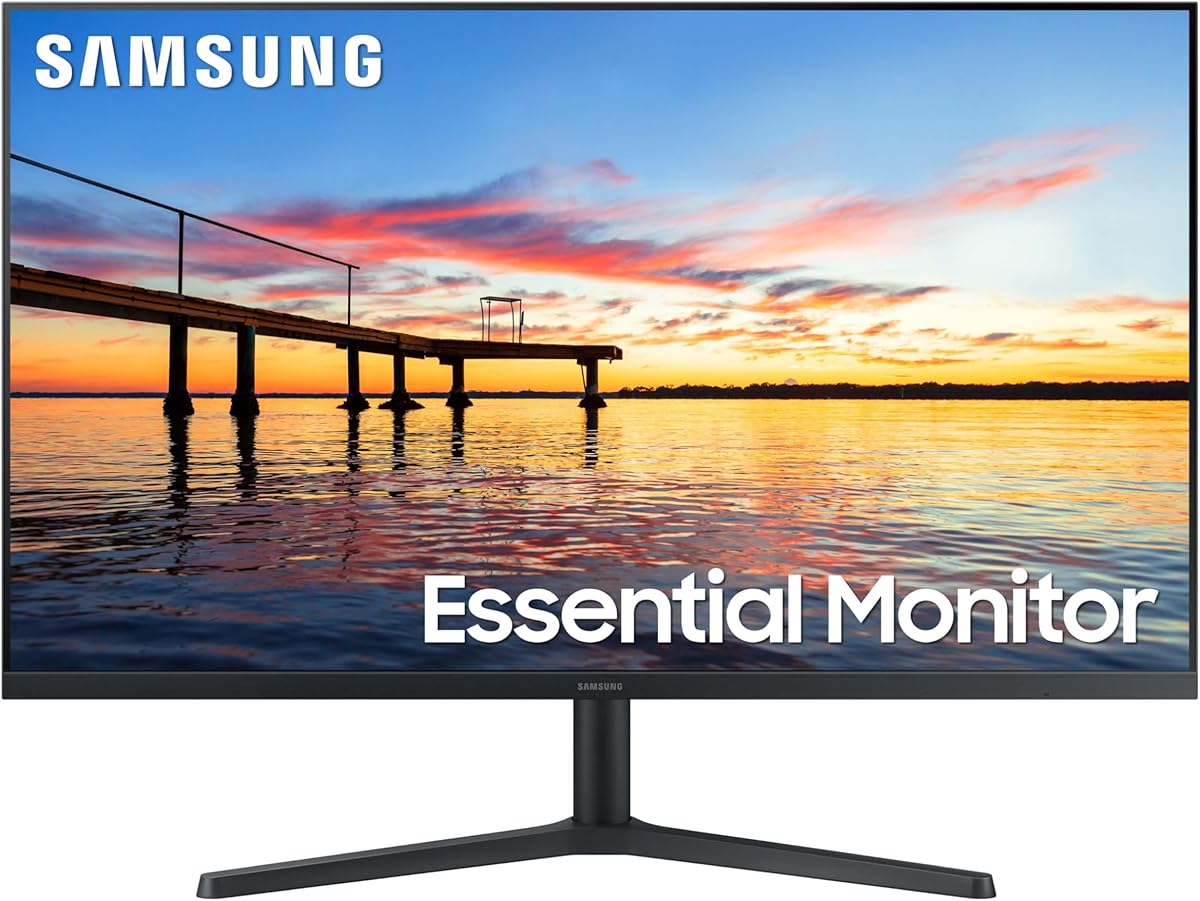
The Samsung 32 Flat offers a large display that enhances productivity through expansive viewing area. It is a great option for users who want a big screen without spending a fortune.
We may earn a commission when you buy through this link, at no additional cost to you.
AMD FreeSync technology ensures smooth visuals during gaming while the borderless design reduces distractions. Eye saver mode minimizes blue light to protect comfort during late night work.
The refresh rate is moderate and might not suit competitive gamers needing high speed. Stand adjustments are limited meaning you may need a separate arm for optimal positioning.
Choose this for general use where screen size matters more than high speed refresh. It provides a spacious and comfortable visual experience for the price.
A 32 inch screen gives you ample space for multitasking comfortably.
AMD FreeSync keeps motion smooth and tear free during media consumption.
We may earn a commission when you buy through this link, at no additional cost to you.
The ViewSonic VS2725-2K strikes a balance between resolution and refresh speed for versatile usage. It is a strong pick for users needing crisp text and smooth performance on a budget.
We may earn a commission when you buy through this link, at no additional cost to you.
Its QHD resolution provides sharp detail while the 100Hz refresh ensures fluid motion. ViewMode presets allow quick switching between tasks optimizing brightness and contrast automatically.
The stand is fixed at height so you may need to raise it for comfortable viewing. While the warranty is excellent the ergonomic limitations affect long term usage comfort.
This monitor is a solid choice for office work and casual gaming where budget matters. It delivers high quality visuals that enhance readability and focus.
Tailored ViewMode settings adapt the screen instantly for different applications.
A three year warranty offers peace of mind for long term usage.
We may earn a commission when you buy through this link, at no additional cost to you.
The ViewSonic VA2256-MHD is perfect for tight workspaces requiring efficient use of desk space. Its compact size and frameless design make it ideal for dual setups or single user stations.
We may earn a commission when you buy through this link, at no additional cost to you.
IPS technology ensures colors remain consistent from any angle which helps during collaborative work. Daisy Chain connectivity allows you to connect multiple monitors with fewer cables for a clean setup.
The small screen area limits multitasking capabilities compared to larger models. Lower resolution may cause slight text blurriness for those with keen eyes.
Select this for minimalist setups where space is a priority. It provides reliable performance and eye comfort for daily office tasks.
Daisy Chain technology lets you connect multiple screens with one cable.
Integrated flicker free tech reduces strain during long working hours.
We may earn a commission when you buy through this link, at no additional cost to you.
Selecting the right frameless monitor depends on understanding your specific visual needs and workspace constraints. We break down the most critical factors to ensure a smart investment.
Monitor size determines how much content you can view at once while resolution defines sharpness. Larger screens like 32 inches offer better multitasking but require more desk space. For text clarity and design work higher resolutions like 1440p or 4K are recommended.
Choose a size that fits your desk depth and a resolution that matches your PC graphics capabilities.
Refresh rate measures how many times the screen updates per second impacting motion smoothness. Gamers and video editors typically prefer 120Hz or higher to avoid blur. Response time in milliseconds affects ghosting during fast action.
For general office work 60Hz to 75Hz is adequate but 120Hz+ is better for fluid visuals.
IPS panels provide the best viewing angles and color consistency which is vital for creative work. TN panels are faster but have poor angles while VA offers better contrast. Look for high sRGB or DCI-P3 percentages for accurate color reproduction.
Select an IPS panel if color fidelity and wide angles are your primary requirements.
A good monitor should adjust to your posture to prevent neck strain. Height tilt swivel and pivot options allow you to find the ideal position. Stands that take up too much space might clutter small desks.
Prioritize stands with full adjustability especially if you spend long hours seated at the screen.
Ensure the monitor has the right inputs for your devices like HDMI DisplayPort or USB-C. USB-C is increasingly important for laptops as it carries video and power together. Audio jacks and built-in speakers can reduce cable clutter on your desk.
Check your device output ports before buying to ensure compatibility without needing extra adapters.
Extended screen time can lead to eye strain so features like blue light filters and flicker free tech are essential. Certified displays from organizations like TÜV Rheinland guarantee reduced harmful light emissions. Adjust brightness and modes based on ambient lighting.
Look for monitors with certified eye care tech if you work late hours or suffer from headaches.
A durable frame and stable base ensure the monitor lasts through daily use. Frameless designs are often more fragile so check for quality plastics or metal. A solid warranty provides peace of mind against defects.
Invest in models with at least a two or three year warranty for long term reliability.
If you plan to use dual screens check for thin bezels and chain support features. Seamless bezels minimize visual gaps between screens making a multi setup look like one unit. Daisy chaining via DisplayPort reduces cable mess significantly.
Opt for frameless designs if you want a unified look across multiple displays for efficiency.
Place your monitor at arm's length with the top of the screen at or slightly below eye level. Proper alignment reduces neck strain and ensures you view the screen from an optimal angle. Adjust your chair height to support your posture while working.
Clean the screen gently with a microfiber cloth to remove dust without scratching the surface. Avoid using harsh chemicals or alcohol directly on the frameless bezels as they may damage the coating. Turn off the monitor before wiping to avoid electrical issues.
Manage cables effectively using clips or ties to prevent them from pulling on the monitor ports. Keep liquids away from the base and avoid placing heavy objects on top of the stand. Regularly check connections to ensure stability over time.
A frameless monitor has extremely thin bezels that create a seamless viewing experience without distracting borders. This design maximizes screen real estate and looks better in multi-monitor setups.
Yes, they are built with reinforced materials to support thin designs without compromising structure. However, handle them carefully during installation to avoid scratching the delicate edges.
No standard HDMI or DisplayPort cables work fine as long as they match the monitor's ports. Ensure you use high-speed cables for higher resolutions or refresh rates.
Many frameless monitors offer high refresh rates and adaptive sync technologies ideal for smooth gaming. Look for specs like 120Hz or higher to minimize motion blur during play.
IPS panels provide accurate colors and wide viewing angles so visuals look consistent from the side. This is superior for design work and collaborative viewing compared to other panel types.
Use eye care features like blue light filters and adjust brightness to match your room lighting. Take regular breaks using the 20-20-20 rule to rest your eyes during long sessions.
We highlighted the LG 24U411A-B as our top pick for its balance of performance and design. Budget seekers will find the BenQ GW2491 offers exceptional value while premium users can consider the CRUA 27 4K.
Prioritize your primary use case such as gaming speed versus design accuracy to narrow down your list. Ensuring the monitor has the right ergonomic adjustments will also improve your daily comfort significantly.
Always verify current availability and pricing before purchasing to get the best possible deal. Prices fluctuate frequently so acting quickly when a good deal appears ensures you save money.