
ASUS Prime B350-Plus
4.4Editor score
Supports AMD Ryzen AM4 processors
5X Protection III hardware safeguards
SafeSlot Core fortified PCIe slots
This guide compares ten top AMD B350 and compatible motherboards for performance, features, and value to help you choose the right one for your build.
Choosing the right motherboard is crucial for any AMD Ryzen build. The B350 chipset offers a balance of performance and affordability for many users looking to upgrade or build new systems today.
We have evaluated ten models based on connectivity, power delivery, and overall value. Each product brings unique strengths to the table for different budget and performance requirements across the market.
Our picks highlight key features like audio quality, VRM stability, and expansion slots. Please note that prices fluctuate frequently so check current listings before making your final purchase decision.
4.4Editor score
3.9Editor score

4.6Editor score
This table provides a side-by-side look at the key specifications and features of every model on our list to help you make an informed decision quickly.



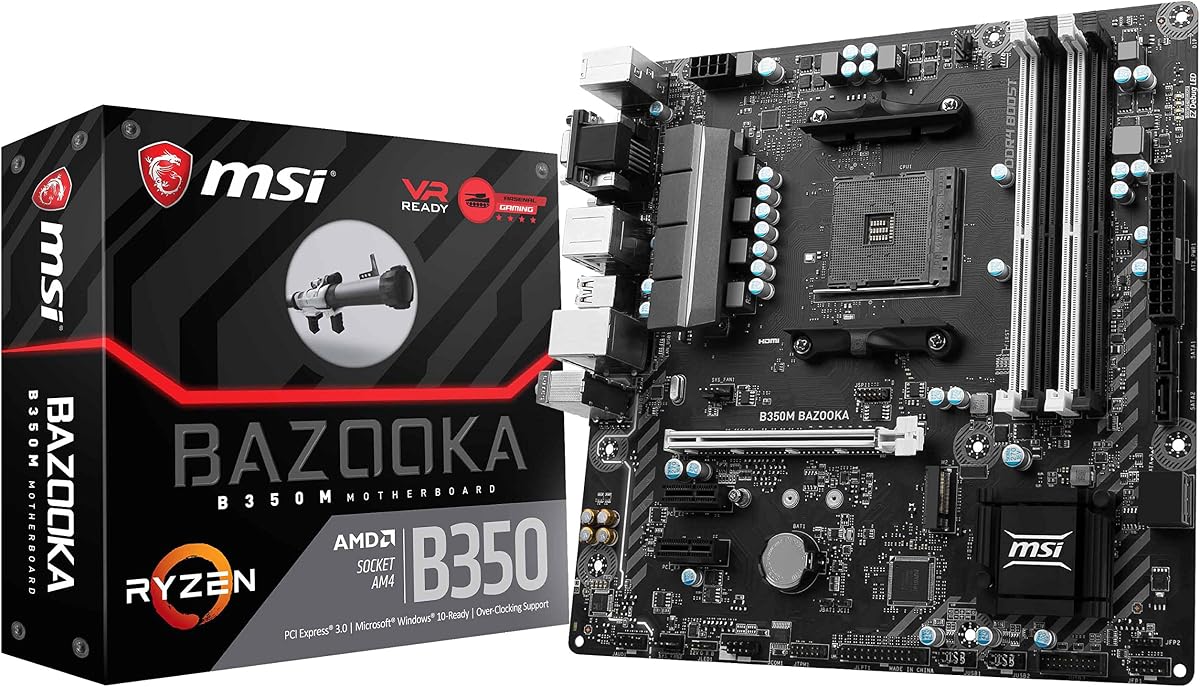
This MSI Gaming B350 motherboard is a solid choice for gamers looking to build a compact system with decent audio performance. It carries a rating of 3.9 stars from users who appreciate its balance of features and cost effectiveness in the budget segment.
We may earn a commission when you buy through this link, at no additional cost to you.
The standout quality is its studio-grade sound system which delivers immersive audio for gaming sessions. It also supports DDR4 memory speeds up to 3200MHz and includes EZ Debug LEDs to help you troubleshoot any boot issues quickly without needing extra tools.
While it lacks some advanced features found in higher-end boards it still handles Ryzen processors well. The main trade-off is fewer expansion options which might limit future upgrades but for a focused gaming rig this is acceptable for most users today.
Buy this if you want a reliable Micro-ATX board with good audio and easy troubleshooting. It is recommended for first-time builders who need a straightforward platform for entry-level Ryzen systems without paying for premium extras they may not use.
The studio grade sound quality provides clear audio outputs that enhance gaming immersion without needing a separate sound card for most setups.
EZ Debug LEDs let you identify system issues at a glance which saves time when you are trying to resolve startup problems during initial assembly.
We may earn a commission when you buy through this link, at no additional cost to you.
The ASUS Prime B350-Plus stands out as an excellent budget option for standard ATX builds. With a strong rating of 4.4 stars it has proven itself over time as a reliable platform for AMD Ryzen AM4 processors without breaking the bank.
We may earn a commission when you buy through this link, at no additional cost to you.
Its key strength lies in the 5X Protection III hardware level safeguards that protect your components from electrical issues. The SafeSlot Core design also prevents damage to PCIe slots from heavy graphics cards ensuring your hardware stays secure during use and upgrades.
The trade-off is that it does not include built-in Wi-Fi so you will need a separate adapter if your router is far away. However this does not affect its core performance and stability which remains high for daily computing and gaming tasks.
Choose this motherboard if you want a dependable foundation for a budget friendly gaming PC. It is perfect for users who prioritize component longevity and solid connectivity over extra wireless features or flashy RGB lighting effects on their build.
The 5X Protection III technology ensures your system resists power surges and short circuits which prolongs the life of your motherboard and attached hardware.
SafeSlot Core reinforces the PCIe slots to handle heavy GPUs securely which prevents physical damage and ensures stable connections even during transport or vibration.
We may earn a commission when you buy through this link, at no additional cost to you.
This ASUS B450 board offers premium features in a compact Micro ATX form factor. It holds the highest rating of 4.6 stars among our picks thanks to its robust performance and excellent compatibility with second generation AMD Ryzen processors and beyond.
We may earn a commission when you buy through this link, at no additional cost to you.
The standout quality is the Aura Sync RGB header which lets you synchronize lighting across your entire system for a cohesive look. It also includes USB 3.1 Gen2 for faster data transfers and maintains the 5X Protection III safeguards for long term durability in your setup.
While it is slightly more expensive than older B350 models the added performance and features justify the cost for many users. The Micro ATX size might limit extra slots but it remains a top choice for small form factor builds that still want high performance.
Buy this if you want a premium Micro ATX board with strong overclocking support and RGB customization. It is ideal for enthusiasts who want to build a compact yet powerful system that can handle future AMD CPUs with ease and style.
Aura Sync RGB headers allow you to control all compatible lights from one place which creates a unified and impressive visual effect throughout your PC case.
USB 3.1 Gen2 support means you can move large files quickly to external drives which is essential for modern storage workflows and game libraries.
We may earn a commission when you buy through this link, at no additional cost to you.
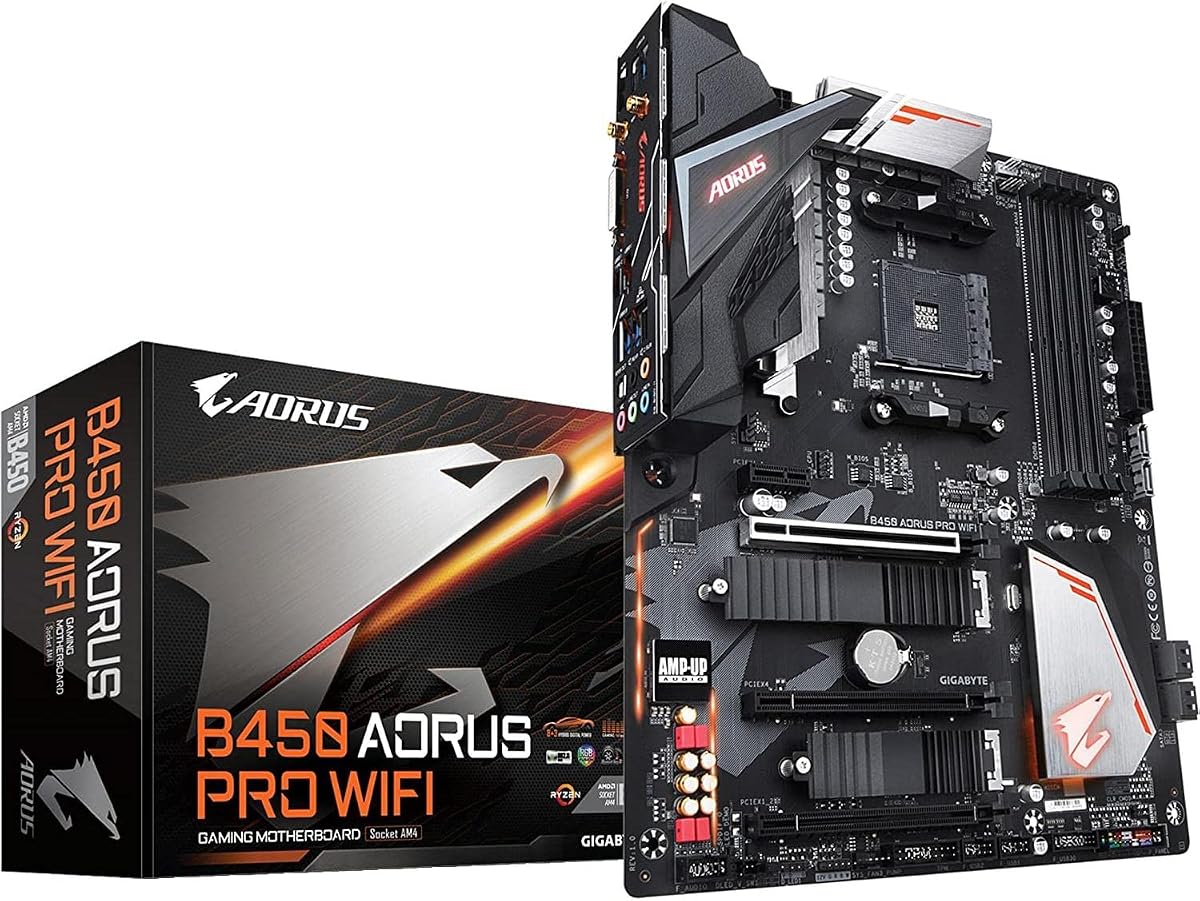
This GIGABYTE B450 AORUS PRO brings powerful connectivity to the table with onboard Wi-Fi and dual M.2 slots. It carries a 4.5 star rating which reflects user satisfaction with its performance and ability to support both first and second generation Ryzen CPUs.
We may earn a commission when you buy through this link, at no additional cost to you.
The key strengths include two PCIe Gen3 M.2 slots with thermal guards to keep your fast NVMe drives cool during heavy use. The onboard Wi-Fi also removes the need for extra adapters making it ideal for homes where running Ethernet cables is difficult.
One trade-off is that the Wi-Fi drivers are optimized for Windows 10 which might complicate things if you prefer other operating systems. However for most gaming and general computing tasks this is a minor issue that does not affect daily performance much.
Choose this board if you want a feature rich ATX platform with wireless networking and fast storage. It is perfect for gamers who value convenience and speed and want a modern build that can handle multiple storage drives and wireless peripherals easily.
Onboard Wi-Fi ensures you can connect to your network without extra hardware which simplifies your setup and reduces cable clutter in your gaming area.
Dual M.2 slots with thermal guards let you run multiple high-speed NVMe drives without overheating which boosts load times and overall system responsiveness.
We may earn a commission when you buy through this link, at no additional cost to you.
The Asus ROG Strix B550-F is a top tier choice for those looking to future proof their builds. It boasts a 4.6 star rating and brings modern features like PCIe 4.0 and WiFi 6E which are essential for next gen performance and high speed wireless connections.
We may earn a commission when you buy through this link, at no additional cost to you.
Its standout quality is the robust power solution with 12+2 power stages that provide stable power to even the fastest Ryzen CPUs. This ensures you can handle demanding tasks without instability or power throttling which is critical for high performance gaming rigs.
While this comes at a higher price it delivers significant value through its connectivity options like HDMI 2.1 and fast Ethernet. The only trade-off is limited support for older CPUs but for anyone planning to build with 3000 or 5000 series chips this is ideal.
Buy this if you want a premium ATX board with cutting edge networking and power delivery. It is recommended for users who want their system to be ready for future upgrades and need the best possible wireless and video performance today.
WiFi 6E and 2.5Gb LAN provide incredibly fast and stable internet connections which reduces lag and improves online gaming experiences significantly.
HDMI 2.1 output allows you to connect to high refresh rate monitors and 4K displays which enhances your visual experience during gaming sessions.
We may earn a commission when you buy through this link, at no additional cost to you.
This GIGABYTE B550M K is a great pick for budget conscious builders who need a compact Micro ATX form factor. With a 4.4 star rating it proves to be a solid choice for Ryzen 5000 series CPUs without the cost of more expensive boards.
We may earn a commission when you buy through this link, at no additional cost to you.
Its main strength is offering PCIe 4.0 and dual M.2 slots at a very affordable price point. The enhanced power solution with 3+3 VRM ensures steady power delivery for standard use and the advanced thermal armor helps keep the chipset cool during operation.
The trade-off is that the VRM is not designed for extreme overclocking which might limit performance tweaking. However for most users who want a reliable system for daily use and gaming this board provides excellent value and stability.
Choose this motherboard if you want an entry level Micro ATX board with modern features. It is perfect for budget gamers who need support for newer Ryzen CPUs and fast storage connections without spending extra on premium power delivery systems.
This board delivers modern features like PCIe 4.0 and dual M.2 slots at a price that fits budget builds without sacrificing essential connectivity.
Advanced thermal armor helps dissipate heat from the chipset effectively which maintains system stability during long gaming sessions or workloads.
We may earn a commission when you buy through this link, at no additional cost to you.
This GIGABYTE B550 Gaming X V2 offers a strong balance of performance and features for ATX builds. It holds a 4.5 star rating and supports Ryzen 5000 series with a robust power solution that ensures stable performance for modern processors.
We may earn a commission when you buy through this link, at no additional cost to you.
Its key strengths include a 10+3 power phase design which supports higher clock speeds reliably. The front USB-C port is also a useful addition for modern cases and Q-Flash Plus allows BIOS updates without a CPU installed making upgrades easier.
The trade-off is the lack of onboard Wi-Fi which may require a separate card or adapter. However the solid power delivery and thermal design make up for this in reliability and performance for most gaming and productivity tasks.
Buy this if you want a reliable ATX board with strong power delivery and modern connectivity. It is recommended for users who want a stable platform for Ryzen 5000 CPUs without paying for premium features they do not need like built-in wireless.
Q-Flash Plus lets you update your BIOS without a CPU installed which saves time and reduces risk when you are installing new processors.
Front USB-C support ensures your case has fast ports for modern devices which improves convenience when connecting peripherals daily.
We may earn a commission when you buy through this link, at no additional cost to you.
The MSI B550M PRO-VDH WiFi is a well rounded Micro ATX option for modern Ryzen builds. It holds a 4.5 star rating and combines Core Boost technology with a premium thermal solution to ensure steady current delivery and effective heat management.
We may earn a commission when you buy through this link, at no additional cost to you.
Its standout quality is the premium thermal pad rated for 7W/mk which keeps components cool under load. It also includes a Flash BIOS Button that lets you update firmware even without CPU or memory which is very helpful for compatibility issues.
While it is limited by its Micro ATX form factor it still offers PCIe 4.0 and Wi-Fi which are essential modern features. The trade-off is fewer slots than ATX boards but for compact gaming rigs this performance and feature set is excellent.
Choose this board if you want a compact solution with strong thermal performance and wireless features. It is ideal for users who want to build a small yet powerful system with reliable power delivery and easy maintenance options.
The premium thermal pad helps dissipate heat efficiently which maintains stable performance during long gaming sessions or intensive workloads.
Flash BIOS Button allows updates without CPU installed which simplifies the process of getting the system ready for new processors.
We may earn a commission when you buy through this link, at no additional cost to you.
This MSI PRO B550M-P is a great entry level Micro ATX board for budget builds. With a 4.3 star rating it delivers solid performance for Ryzen 5000 series processors while keeping costs low for those looking to save on the foundation.
We may earn a commission when you buy through this link, at no additional cost to you.
Its key strengths include DDR4 memory boost which allows for high speed overclocking and Frozr AI cooling which adjusts fans based on temps. These features ensure you get reliable performance and system stability even in a budget friendly package.
The trade-off is that the VRM is not designed for heavy overclocking which limits performance tweaking. But for general gaming and computing this board offers excellent value with modern connectivity like PCIe 4.0 and dual M.2 slots.
Buy this if you want a basic reliable board for a Ryzen system without extra features. It is recommended for first time builders or those who prioritize cost savings while still getting support for modern CPUs and fast storage.
Frozr AI cooling automatically adjusts fan settings based on component temps which helps maintain performance and noise levels efficiently.
DDR4 Memory Boost helps you get higher RAM speeds which improves overall system responsiveness and multitasking capability.
We may earn a commission when you buy through this link, at no additional cost to you.
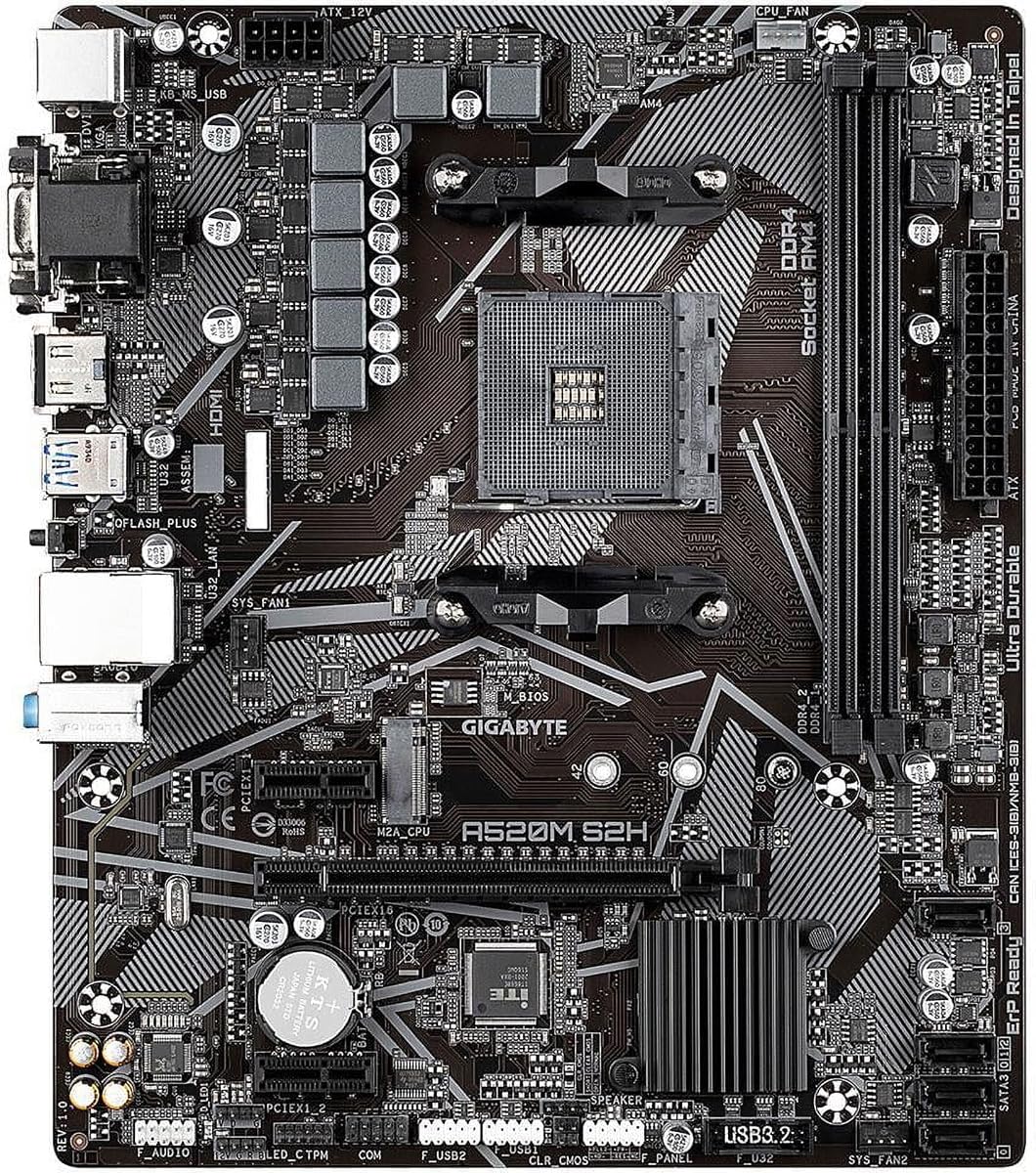
The Gigabyte A520M S2H is a perfect starting point for entry level Ryzen builds. It holds a 4.5 star rating and supports 3rd Gen Ryzen processors at a very low cost point for users who need basic functionality without extra complexity.
We may earn a commission when you buy through this link, at no additional cost to you.
Its standout quality is the inclusion of Q-Flash Plus which allows easy BIOS updates even without a CPU. The board also supports multiple display interfaces which makes it versatile for those using integrated graphics on their CPU.
The trade-off is that it lacks PCIe 4.0 and only has two RAM slots which limits future upgrades. However for budget builds focused on gaming or general use this board provides excellent stability and essential features at a low price.
Choose this board if you want the most affordable reliable platform for Ryzen. It is ideal for budget gamers or office builds who do not need advanced features but still want solid performance and easy maintenance options.
This board keeps costs low while delivering essential features like Q-Flash Plus which ensures your system stays updated with minimal effort.
Multiple display interfaces let you connect different monitors easily which helps if you are using integrated graphics or need multiple screens.
We may earn a commission when you buy through this link, at no additional cost to you.
Selecting the right motherboard involves considering several key factors that affect performance and compatibility for your system.
While your search focuses on B350 models remember that newer chipsets like B450 and B550 offer broader support for recent Ryzen CPUs. Check the manufacturers CPU support list before purchasing to ensure your processor works out of the box.
Always verify the chipset matches your specific CPU generation to avoid BIOS update hassles during your build.
Motherboards come in ATX Micro ATX and Mini ITX sizes which determine how many ports and expansion slots they have. Choose ATX for maximum expandability or Micro ATX if you are building a smaller system with fewer components.
Measure your PC case carefully to ensure the board fits properly without any clearance issues.
Look for boards with robust VRM designs especially if you plan to use higher end CPUs or overclock them. More power phases and better heatsinks ensure your CPU runs cool and stable during intensive gaming sessions or tasks.
Prioritize boards with solid power solutions to prevent throttling and protect your investment.
DDR4 memory support is standard across these boards but check how many slots are available and the maximum supported speed. Most boards support up to 3200MHz or higher which allows for good performance without expensive RAM kits.
Ensure you have enough slots for your current and future memory needs.
Modern motherboards offer multiple M.2 slots which support fast NVMe SSDs. Check if the board supports PCIe 4.0 for faster speeds and whether thermal guards are included to keep drives cool under heavy loads.
More storage connections mean more flexibility for your game library and operating system drives.
Check for USB ports and network options like Gigabit Ethernet or Wi-Fi. USB 3.1 Gen2 or Gen 2 ports provide faster data transfer speeds for external drives while Wi-Fi helps if your PC is far from your router.
Ensure the board has enough modern ports to match your peripherals and networking needs.
Some boards offer enhanced audio codecs which provide better sound for gaming and media. Look for features like studio grade audio or dedicated audio components if you do not use a separate sound card or headset.
Good onboard audio can save you the need for external devices in some scenarios.
Reliability often depends on build quality so look for boards with hardware level protections like surge resistance or reinforced PCIe slots. Brands often include warranties and safety features that extend the life of your system.
Invest in a board with good protection to ensure your system lasts longer over time.
Always handle your motherboard by its edges and place it on a non-conductive surface during installation to prevent static discharge damage. Use the provided standoffs to secure the board correctly to the case chassis.
Update your BIOS immediately after building to ensure the best compatibility with your specific CPU and memory modules. This step prevents boot issues and unlocks the latest performance improvements provided by the manufacturer.
Keep your system free of dust by cleaning fans and heatsinks regularly which helps maintain thermal performance. Ensure all power cables are connected securely to avoid random system shutdowns or hardware instability.
No not all B350 boards support newer Ryzen 5000 CPUs. You will likely need a BIOS update to gain compatibility. Check the manufacturers CPU support list before buying to be sure.
The B450 chipset generally offers better support for newer AMD CPUs and often includes PCIe 2.0 lanes for M.2 drives. It also tends to have slightly improved VRMs for better overclocking stability.
If you have a new CPU you may need to update the BIOS first. Many modern boards have a BIOS Flashback button which lets you do this without installing a CPU or memory.
Yes all B350 motherboards use DDR4 RAM. However check the maximum supported speed to ensure your memory runs at the rated speed without needing manual tuning.
Onboard Wi-Fi is not strictly necessary but it is convenient if you cannot run Ethernet cables. Ethernet is faster and more stable so wired connections are preferred for competitive gaming.
For smaller cases choose a Micro ATX or Mini ITX motherboard. These sizes fit more easily in compact chassis while still offering essential features for gaming and daily use.
We have reviewed ten solid options for AMD Ryzen builds ranging from budget B350 boards to modern B550 models. Each pick offers different strengths like power delivery or wireless features depending on what you need.
When choosing prioritize stability and compatibility with your CPU and case. A reliable board with good power delivery is better than one with extra features that cause system crashes.
Please check current listings for the latest prices before buying as costs fluctuate frequently. We hope this guide helps you build a stable and powerful system that meets your needs.